Post production
Post-production
Post-production in filmmaking covers the entire chain of tasks that take place after shooting: editing, compositing, and special effects.
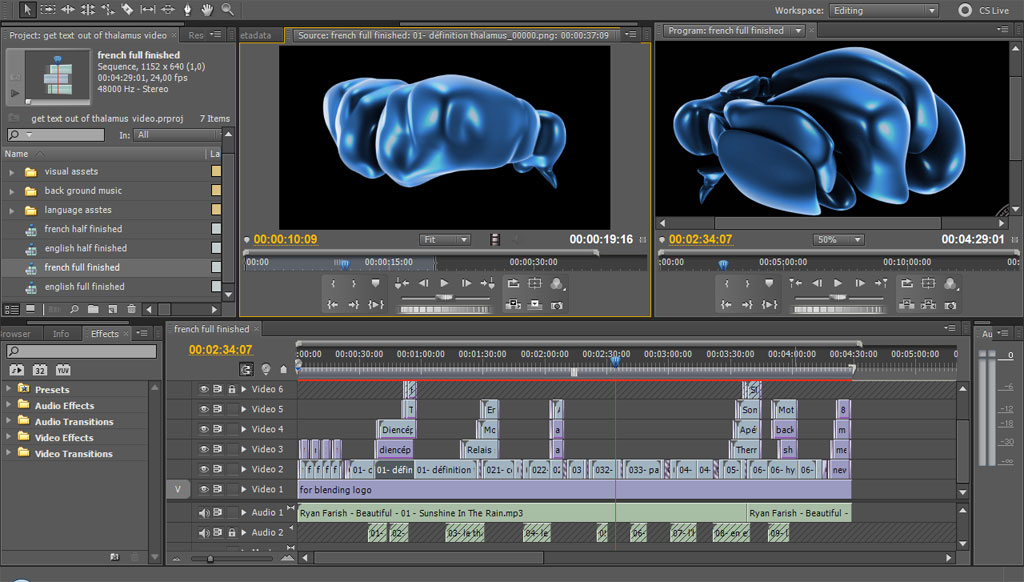
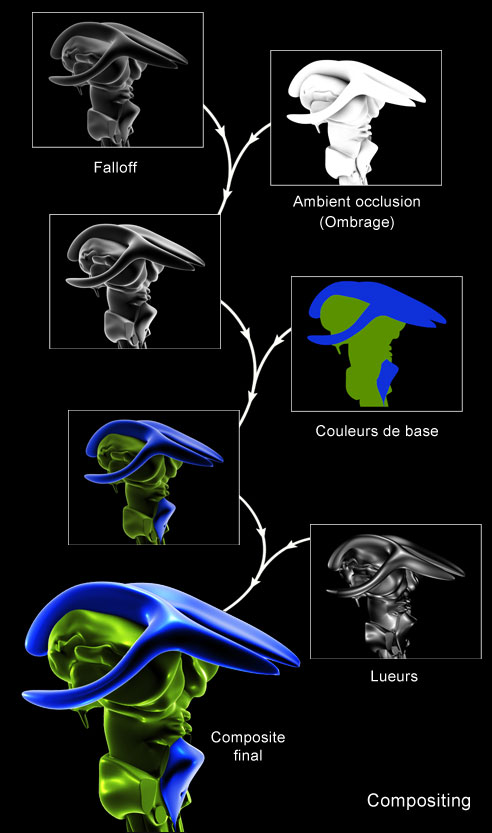
For post-production, I use After Effects, Premiere Pro, and sometimes Photoshop. After producing the scenes in 3DS MAX with several versions for each, I handle the compositing in After Effects. Compositing is the process of mixing and combining different versions of the same scene using various blending modes to achieve a specific and more realistic look (see image).
The different passes to be rendered include a base color scene, a shadow pass, two scenes with different types of glows, one with a falloff effect (similar to an electron microscope look), a depth-of-field pass, and others as needed.
I render the composite from After Effects to get a final image sequence, which I then import into Premiere Pro for editing, assembly, and sound design.
Other special effects can be created in After Effects or Photoshop and then imported into Premiere Pro. Of course, this workflow varies from one video to another depending on the type of production.
When the project is completed in Premiere Pro, I render it in two formats: an .flv file to be used with the Flash/AS3 application, and a .mpeg2 file to be processed in Encore for DVD authoring.